


Table of Contents
Internal linking SEO is one of the most consistently underutilized levers on law firm websites. While most firms invest in content creation and backlink building, the links between pages on their own site — the internal linking architecture — often get no strategic attention at all.
The result: practice area pages that don't receive authority from the blog content supporting them, location pages isolated from the site's main ranking signals, and blog posts that never contribute to the firm's SEO performance despite being regularly published.
A deliberate internal linking strategy changes all of that.
Law firm websites with clean, organized site structures index 30% faster.
Grow Law's average clients achieve 1,200%+ web traffic growth — and internal linking architecture is part of what makes that compound.
In this guide, we cover why internal links matter more for law firms than most industries, how PageRank flows through a legal website, what the pillar-cluster linking model looks like in practice, how to connect your location pages to practice pages, and what mistakes are suppressing your rankings right now.
Why Internal Linking SEO Matters More on Law Firm Websites Than Most Industries
Law firm websites have a content complexity that most industries don't: practice area pages, sub-practice pages, location pages, blog posts, attorney bios, case results, and FAQ content — all of which need to be connected to function as a coherent authority signal rather than a collection of isolated pages. Google's documentation on how links affect crawling and indexing makes clear that internal links determine which pages get crawled, how frequently, and with what priority.
Legal web pages structured with proper hierarchy rank 38% higher in search results. Law firm websites with clean, organized site structures index 30% faster.
Both of those outcomes depend directly on internal linking — Google can only assign authority to pages it can reach through a crawlable link path, and it assigns more authority to pages that receive more internal links from authoritative pages on the same domain.
Omar Ochoa Law seized the #1 position in Texas for property damage lawyer" just 60 days after launching their new site with a robust SEO strategy that included a systematic internal linking architecture. The speed of that result reflects what happens when internal linking is built into the site from the start rather than retrofitted.
Internal linking is built into every Grow Law SEO program from the foundation: law firm SEO
How Internal Links Distribute Authority on Your Law Firm Website
Every page on your law firm website has accumulated some degree of authority — from backlinks, from user engagement signals, and from the sheer fact of being indexed and crawled.
Internal links pass a portion of that authority to the pages they point to. This flow of authority is what makes internal linking a direct SEO lever: pages that receive more internal links from strong pages rank better for their target queries.
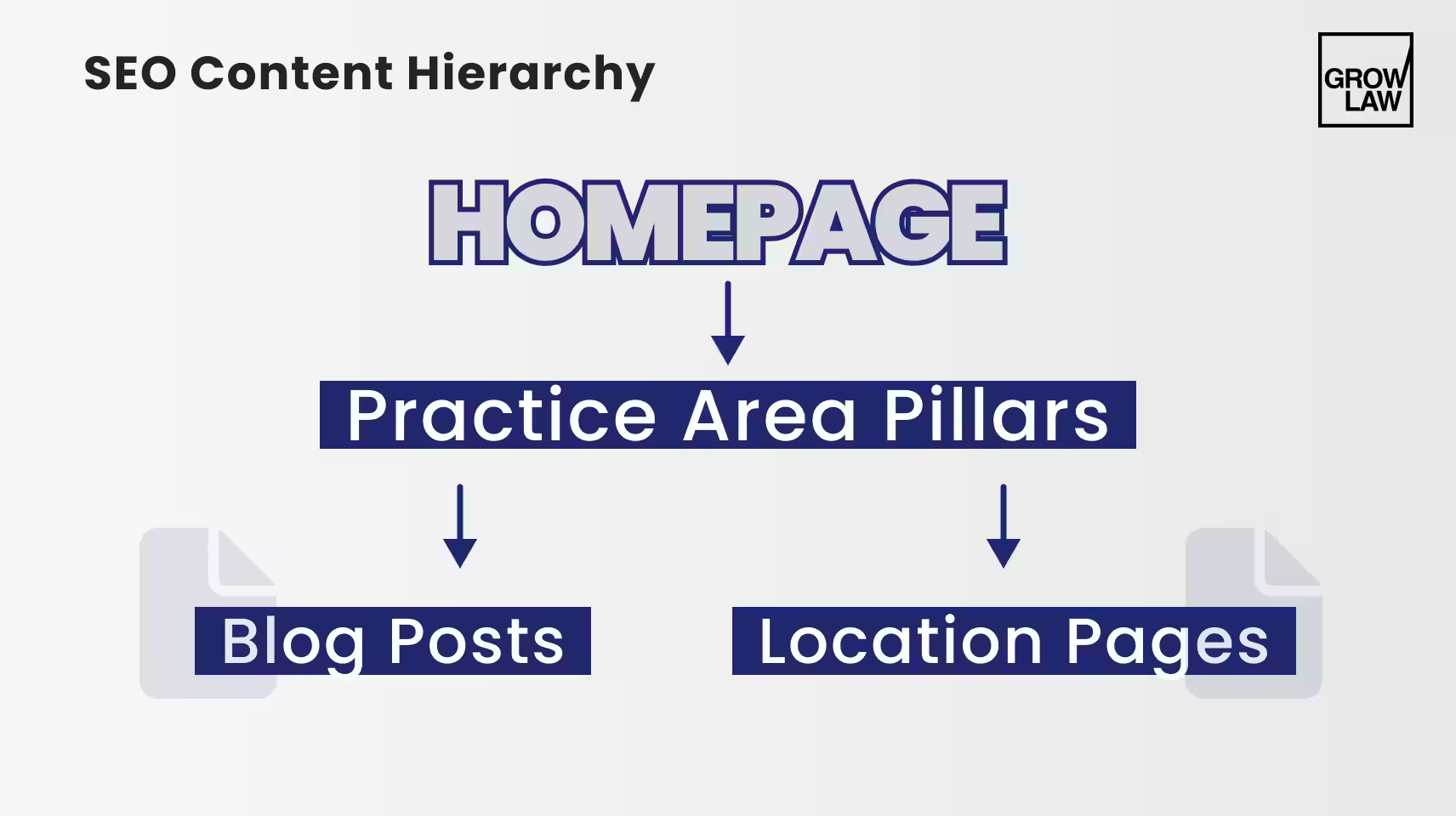
The orphaned content problem is the most common internal linking failure on law firm sites. A personal injury firm had published 40 blog posts over three years. An audit showed that 34 of them received zero internal links from any other page on the site — each was indexed but receiving no authority flow from the firm's strongest practice area pages.
After adding 2–3 contextual internal links to each orphaned post from practice area pages, related blog content, and the FAQ section, organic sessions to those pages increased 47% within 3 months without publishing any new content.
| Page Type | Passes Authority To | Receives Authority From | Priority |
|---|---|---|---|
| Practice area pillar page | All supporting blog posts, sub-practice pages, location pages | Homepage, attorney bio pages, external backlinks | Highest — protect and grow incoming links |
| Sub-practice page | Related blog posts, FAQ content | Practice area pillar page | High — must receive link from pillar |
| Blog post | Practice area page (contextual link), related posts | Practice area page, other blog posts, internal FAQ | Medium — every post must link to pillar |
| Location page | Practice area pages (bidirectional) | Practice area pages, homepage, site nav | High — often the weakest link in the chain |
| Attorney bio page | Practice area pages the attorney handles | Homepage, blog post bylines, practice area pages | Medium — author bio SEO signal |
Internal Linking Strategy for Law Firm Websites: The Pillar-Cluster Model
We’ve seen that the most effective internal linking strategy for law firms follows a pillar-cluster architecture: one comprehensive practice area page (the pillar) surrounded by a cluster of supporting content — sub-practice pages, blog posts targeting related queries, FAQ content, and location pages — all linked to the pillar and to each other where relevant.
The rules of pillar-cluster internal linking are simple and non-negotiable: every cluster page links back to its pillar. The pillar links to all cluster pages. Related cluster pages link to each other where the connection is genuinely topically relevant. No cluster page is orphaned — every page has at least one inbound internal link and at least one outbound internal link.
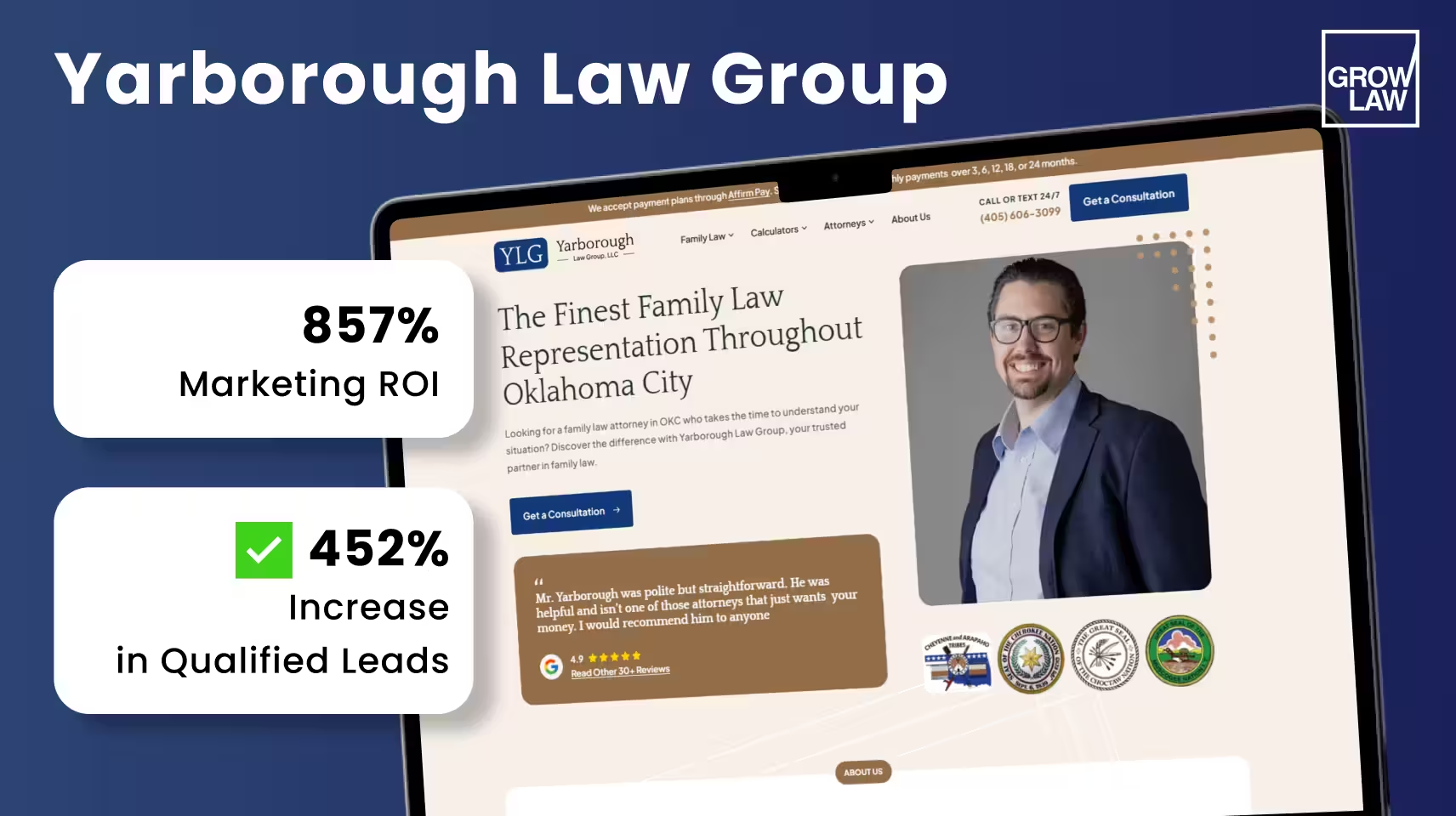
Newlin Law Offices implemented this architecture as part of a full SEO program with Grow Law. In 10 months: 575% organic traffic increase, 106% conversion rate improvement, 408% marketing ROI. Cole Yarborough of Yarborough Law Group used the same foundation and achieved 857% marketing ROI, 452% more qualified leads, and 2,938% organic traffic growth — eventually needing to hire additional staff to handle the pipeline volume.
Grow Law builds internal linking architecture as part of every SEO program: SEO services for law firms
How to Link Location Pages to Practice Area Pages
Location pages are the most consistently underlinked page type on law firm websites. A firm serving 8 cities might have 8 well-written location pages — and zero internal links connecting those pages to the practice area pages that cover the services offered in each city.
The result: location pages that rank for branded or generic city queries but fail to rank for the high-intent "[practice area] attorney [city]" queries that actually produce leads.
A criminal defense firm serving 8 cities had location pages for each but zero internal links between those pages and the DUI, drug charges, and assault practice area pages.
Local rankings for city-specific queries were weak despite the pages being fully written.
After adding bidirectional internal links between each location page and the corresponding practice area pages, local pack visibility improved in six of eight target markets within 10 weeks. This is a core part of law firm marketing in Austin, where location and practice pages must reinforce each other.
| Link Type | From | To | Anchor Text | Frequency |
|---|---|---|---|---|
| Practice area → location | Practice area page body | Each location page for that practice area | "Practice area] attorney in [city]" or "[city] [practice area] lawyer" | 1 link per location served |
| Location → practice area | Location page body | Each practice area page for that location | Practice area name: "DUI Defense," "Personal Injury" | 1–2 links per practice area offered in that city |
| Location → location | Location page footer or related content | Nearby city location pages | City name: "Also serving clients in [adjacent city]" | 2–3 related city links per page |
| Homepage → primary locations | Homepage | Top 3–5 priority location pages | "[City] office" or "[Practice area] attorney in [city]" | Link to highest-value markets only |
The location-to-practice-area internal link is the most commonly missed high-value linking opportunity on multi-location law firm websites. It's free, it's fast to fix, and it directly impacts local pack visibility.
Internal Linking Best Practices for Law Firm Blog Content
Every blog post your law firm publishes should perform two SEO functions simultaneously: ranking for its target query and passing authority to the practice area page it supports. Google's guidance on internal linking describes contextual internal links — links embedded in body text with descriptive anchor text — as the most valuable type because they signal topical relevance between the linked pages.
The internal linking rules for law firm blog content:
- Every post links to its pillar. A blog post about "what to do after a car accident in Texas" must include a contextual internal link to the personal injury practice area page. This is non-negotiable — it's how the post contributes to the pillar's authority.
- Related posts link to each other. A post about car accident settlements can link to a related post about medical bills after an accident. These links pass authority laterally and create a content cluster that Google evaluates as a coherent topical resource.
- Practice area pages link back to blog content. The practice area page should include a 'related resources' section or contextual in-body links to the 2–3 most relevant blog posts. This bidirectional authority loop reinforces topical depth.
- Attorney bio pages link from bylines. Every blog post should carry an attorney byline linked to the bio page. The bio page then links to relevant practice areas. This creates a three-way authority loop: content → bio → practice area.
- Anchor text is descriptive, never generic. "Click here" and "read more" waste the keyword signal opportunity. Use descriptive anchors: "Texas personal injury settlement process," "how to choose a DUI attorney in Austin."
| Link Type | Placement | Anchor Text Rule | Value |
|---|---|---|---|
| Post → pillar practice area | Body text, contextual | Practice area name or related key phrase | Highest — builds pillar authority directly |
| Post → related post | Body text or "related articles" section | Descriptive topic phrase | Medium — lateral authority and topical cluster signal |
| Pillar → blog post | Body text "related resources" section | Post title or keyword phrase | High — distributes pillar authority to cluster |
| Byline → attorney bio | Author box at top or bottom of post | Attorney name + credentials | Medium — E-E-A-T signal + bio page authority |
Internal Linking Mistakes That Hurt Your Law Firm SEO
These are five internal linking errors we see consistently across law firm SEO audits. Each one is fixable — but each one actively suppresses rankings until it is fixed.
- Orphaned content. Pages with zero inbound internal links receive no authority flow from the rest of the site. They're indexed but effectively invisible to Google's ranking signals. Run a site crawl with Screaming Frog or Ahrefs Site Audit and filter for pages with zero inbound internal links — every result is a ranking opportunity being wasted.
- Over-linking on a single page. A practice area page with 20+ internal links dilutes the PageRank passed to each linked page and creates a poor user experience. The optimal range is 3–8 contextual internal links per page for most law firm pages, plus navigation links.
- Generic anchor text. "Click here," "read more," "learn more" — these anchors pass authority but signal nothing to Google about the content being linked to. Every internal link anchor should describe the destination page's topic.
- Broken internal links. 404 errors on internal links waste authority that should flow to the destination page. Run a monthly crawl to identify and fix broken internal links. Screaming Frog flags these automatically.
- No location-to-practice-area links. The most commonly missed internal linking opportunity. If your location pages don't link to your practice area pages and vice versa, your local rankings are weaker than they should be. This is typically a one-afternoon fix with disproportionate impact.
Cameron Law came to Grow Law in April 2024 with structural problems including poor internal linking — orphaned content, no location-to-practice-area links, and generic anchor text throughout. After a full site and content overhaul that included rebuilding the internal linking architecture, the firm saw a significant increase in qualified leads and conversion rate.
Use Google Search Console's Internal Links report to see which pages receive the most internal links on your site — and which receive none. This is the fastest way to identify orphaned content without a third-party crawl tool.
Summary
- Internal linking SEO distributes PageRank between pages — practice area pages pass authority to blog posts and location pages through internal links, and receive authority back through bidirectional links.
- Law firm websites index 30% faster with organized site structures; legal pages with proper hierarchy rank 38% higher — both outcomes require systematic internal links SEO.
- The pillar-cluster internal linking strategy: every cluster page links to its pillar; the pillar links to all cluster pages; related clusters link to each other. No orphaned content.
- Location pages must link bidirectionally to practice area pages — the most missed internal linking strategy opportunity on multi-location law firm websites.
- Every blog post must link to its pillar practice area page with descriptive anchor text. Generic anchors ("click here") waste the keyword signal opportunity.
- Five internal linking mistakes that hurt law firm SEO: orphaned content, over-linking, generic anchors, broken links, and no location-to-practice-area links.
Ready to build an internal linking architecture that compounds your law firm's SEO performance? Learn more about our law firm SEO agency.
Frequently Asked Questions
-
How should law firms use internal links for SEO?
How should law firms use internal links for SEO follows a pillar-cluster model: practice area pages are pillars that link to all supporting blog posts, sub-practice pages, and location pages. Cluster pages link back to the pillar and to related cluster content. Every blog post includes a contextual link to the relevant practice area page. Location pages link bidirectionally to practice area pages. Attorney bio pages link to all practice areas the attorney handles. The goal is zero orphaned content. Every page receives at least one inbound and sends at least one outbound internal link.
-
How many internal links should a law firm page have?
How many internal links should a law firm page have depends on page type and length, but the practical range for most law firm pages is 3–8 contextual internal links in the body text, plus navigation links (header, footer, sidebar). Practice area pillar pages often justify 8–12 body links because they need to connect to sub-practices, locations, and supporting blog content. Blog posts typically need 2–4 contextual links. Avoid exceeding 15–20 total links on any single page — it dilutes PageRank flow and signals poor UX.
-
Should practice area pages link to blog posts?
Should practice area pages link to blog posts — yes, and this is one of the most underused internal linking best practices on law firm websites. Practice area pages that link to relevant blog content create a bidirectional authority loop: the pillar distributes its authority to the cluster, and the cluster links back to strengthen the pillar. A 'related resources' section or in-body contextual links to 2–3 supporting articles is the minimum. This also increases time-on-site and reduces bounce rates on practice area pages.
-
How to link location pages to practice pages?
How to link location pages to practice pages requires bidirectional internal links: each location page should include body text links to every practice area page for services offered in that city, using the practice area name as anchor text. Each practice area page should include a section listing the cities served, with each city name linking to the corresponding location page. The anchor text from practice area page to location should be '[practice area] in [city].’ This is the keyword phrase that drives local rankings.
-
What internal linking mistakes hurt law firm SEO?
What internal linking mistakes hurt law firm SEO most consistently: orphaned content (pages with zero inbound internal links receiving no authority flow), generic anchor text ('click here' instead of descriptive keyword phrases), no location-to-practice-area links (the most impactful missed opportunity on multi-location firms), broken internal links creating 404 errors that waste authority, and over-linking single pages with 20+ links that dilutes PageRank to each destination. Fix these five issues, and your law firm site will see a measurable ranking improvement within 60–90 days.

Compare Your Practice Instantly
Stay Ahead of the Competition!
Compare your law firm's performance to Local competitors with our instant assessment tool
Get a clear picture of your firm's performance
Boost your online presence
Compare My Firm
Compare Your Practice Instantly
Stay Ahead of the Competition!
Compare your law firm's performance to Local competitors with our instant assessment tool
Get a clear picture of your firm's performance
Boost your online presence
Compare My Firm
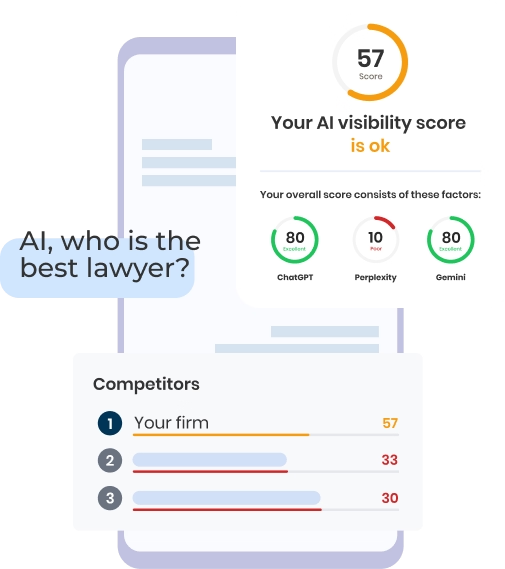
Check Your AI Visibility Instantly
Find Out What AI Is Telling Your Potential Clients
Run our free AI Visibility Report to:
See how often top AI tools mention your law firm
Spot which competitors show up first
Get the next steps to capture more cases
Run My Free AI Report
.avif)
.avif)
.avif)

