


Table of Contents
You just got the email. Your Google Business Profile suspension notice is in.
Uh-oh. That means calls from potential clients will significantly drop off, dealing a massive blow to your caseload.
Take a breath. Our Google Business Profile was suspended recently, and after an appeals process, we got it back up and running. We’ve also helped dozens of law firms recover from the same nightmare.
In this guide, we’ll break down the most common Google Business Profile suspension reasons and the 4 steps to get your listing reinstated. Keep scrolling.
Key Takeaways
- Don’t create a new profile. Fix and reinstate your existing one to avoid bigger issues.
- Identify the real cause first before taking any action or submitting an appeal.
- Fix compliance issues fully, not partially, or your reinstatement will fail again.
- Submit an evidence-backed appeal with proof your business operates as claimed.
- Wait at least 5 to 7 days to hear back, and submit a second appeal if needed.
- Avoid risky changes like editing name and address together or making rapid updates.
What a Google Business Profile Suspension Means for Your Law Firm
A Google Business Profile suspension means that Google has removed your business listing from public view on Google Search and Google Maps.
This typically happens because Google detected a violation of its policies or flagged your profile as suspicious.
Why is the legal industry a main target for a GBP suspension?
The legal industry is considered high-risk for spam. Legal services (especially PI) are highly competitive and lucrative. That’s precisely why law firms are aggressively targeted by Google's automated systems and manual reviews.
Once you’re suspended, you’ll see an immediate drop in your GBP calls and direction requests.
That’s not all.
A study by Review Trackers found that 63.6% of consumers check your Google reviews before visiting or calling. Once your GBP is suspended, these reviews stop working for you.
Basically, you’ll lose access to one of your highest-performing lead channels.
— Why a GBP Suspension is Urgent for Law Firms
This isn’t just a visibility issue. It’s a direct hit to your revenue pipeline.
Your Google Business Profile is one of the most important acquisition channels.
We’ve worked with 100+ law firms over the last 18 years, and our internal data shows that a typical GBP drives a staggering 31%+ of all attorney leads!
These leads are potential clients, actively comparing lawyers.
The proof piles on: One of our top clients, Texas Horizons Law Group, got around 60% of its total calls from its GBP. And after optimizing their profile, they saw a 295% increase in call volume.

Now imagine that disappearing overnight.
That would mean a HUGE drop in calls, and lead to a stressful, inconsistent flow of cases.
Bottom line: Your Google Business Profile suspension needs immediate action.
What Are the Types of GBP Suspensions?
So many firms misidentify their issue and end up submitting the wrong type of appeal.
Don’t be one of them!
In the last 6 years, Google has removed or suspended roughly 3 million Business Profiles that it regards as fake.
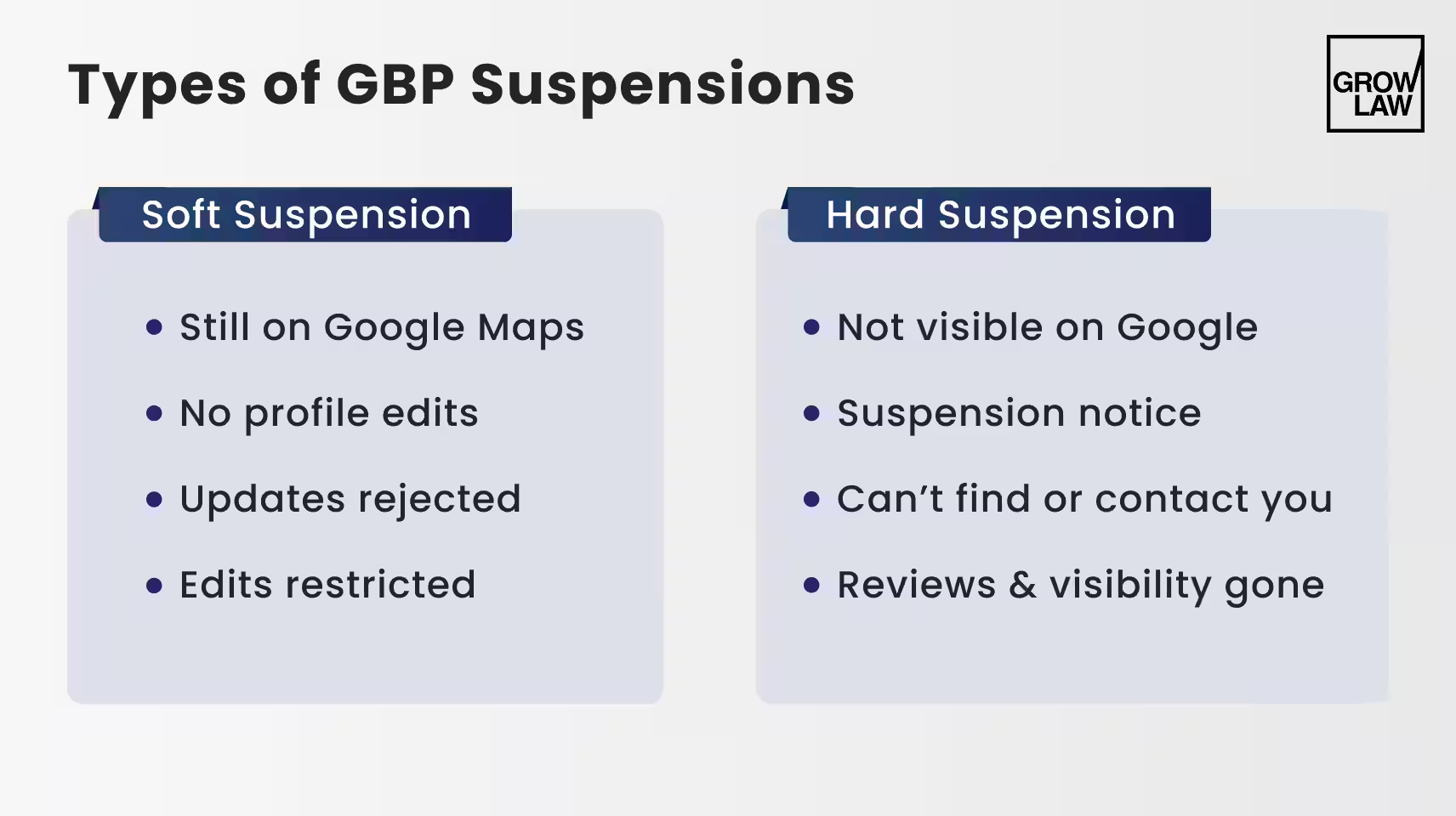
There are primarily 2 types of Business Profile suspensions:
— Soft Suspension
With a soft suspension, your listing is still live, but you’ve lost control over it.
You might notice that you can’t update key details or your changes aren’t going through.
Here’s what it looks like:
- Your profile still appears on Google Maps
- You can’t edit your business name, address, or category
- Updates get rejected or stuck in review
- Google is limiting edits, not removing your listing
This usually means Google sees a potential issue, but hasn’t fully removed your presence.
— Hard Suspension
This is a serious one. A hard suspension means your listing is completely removed from search and Maps.
Here’s how to identify it:
- Your business does not show up at all on Google
- You receive a suspension notice from Google
- Customers can’t find or contact you through your profile
- Your reviews and listing visibility are effectively gone
This is when you’ll feel the impact immediately as your leads plummet quickly.
— Failed Verification vs Rejected Edits
Not every issue is a full suspension, but they can feel similar if you don’t know the difference.
Here’s how these show up:
- Failed verification:
- You tried to verify your business, but Google couldn’t confirm your details
- Your listing may never go fully live
- Often tied to weak or inconsistent proof of your address
Bright Local reports that 80% of consumers will not trust your business if they see an incorrect or inconsistent business name or contact info online.
- Rejected edits:
- You made changes (name, address, category), and Google denied them
- Your listing stays live, but updates don’t stick
- Can signal trust issues that may lead to suspension later
If you misdiagnose your Google Business Profile suspension reason, you risk submitting the wrong fix.
Uh-Oh. You’re Missing Clients.
Your GBP is NOT enough. You need full legal marketing. Clients at Grow Law typically see a 250% lead increase in the first 12 months.
Get More Leads

The Most Common Google Business Profile Suspension Reasons
It usually comes down to one thing. Google doesn’t trust that your business is operating the way you claim.

Most suspensions are triggered by patterns that Google flags as risky, like:
— A Simultaneous Business Name and Address Change
This is one of the fastest ways to trigger a suspension.
For our suspension, this was the most likely trigger. We changed both our business name and address at the same time, and that immediately flagged our profile.

When you change both your business name and address at the same time, Google treats it like a completely new entity. Here’s why that’s a problem:
- It can look like profile hijacking
- It can signal a new business replacing the old one
- It triggers a high-risk manual review
Once flagged, your profile is held to a much higher standard.
— Coworking Spaces and Virtual Office Risks
This was the second major issue for us.
We were using a coworking space address, and while we had access to the space, Google didn’t see enough proof of real, day-to-day operations.
Remember, Google needs solid proof that you actually operate there. To stay compliant, you need:
- Proper signage at the location
- Dedicated staff presence (not just occasional use)
- Ability to meet clients in person
We submitted documents like a lease and tax forms, but they only proved we had a relationship with the space, not that we actually operated there daily.
That’s the key difference. Google is trying to filter out businesses that exist on paper but don’t truly operate from that address.
— Lack of Permanent Signage
To dive a little deeper, you must have permanent signage in place. Here’s what does NOT count:
- Paper signs taped to doors
- Temporary stickers or removable labels
- Anything that looks non-permanent
What Google expects:
- Durable, professionally installed signage
- Clear visibility inside or outside the building
- Consistency with your business name

If you can’t prove your firm physically exists at that location, your listing is at risk.
— Duplicate Listings and Practitioner Conflicts
Law firms often run into issues with multiple listings. You might have:
- A firm listing
- Individual attorney listings
- Old or duplicate profiles
If these aren’t managed properly, Google sees it as conflicting data. That can lead to suspensions, merged or removed listings.
At the end of the day, everything needs to be clean, consistent, and intentional.
— Category Misuse and Keyword Stuffing
Trying to optimize your profile the wrong way can backfire.
In Google’s own words, "Spam refers to techniques used to deceive users or manipulate our search systems into ranking content highly."
Watch out for this. You cannot add extra keywords to your business name or choose irrelevant categories to rank higher.
Common issues include:
- Adding practice areas to your business name
- Choosing categories that don’t match your services
- Over-optimizing fields to manipulate rankings
This breaks Google’s guidelines and increases the risk of suspension.
— Inconsistent NAP (Name, Address, Phone) Details
Your business NAP needs to match everywhere… and we mean everywhere!
%20Details.avif)
Google relies on consistency to verify your legitimacy. Issues we see often:
- Different suite numbers across directories (e.g., "Suite 200" vs "St 2")
- Your business name appears as "Smith Law" in one place and "Smith Law Group PLLC" in another
- One listing uses a tracking phone number, while another uses your main line
If Google can’t confidently verify your details, your listing will be at risk.
But your GBP is NOT enough. You still need law firm local SEO. Read our 2026 guide today.
Why Law Firms Are Especially Vulnerable to GBP Suspension
There is a Google Business Profile suspension increase in the legal space.
Google classifies legal content under its YMYL category (Your Money or Your Life). That means your content could impact a person's safety, health, and financial well-being.
That’s why your GBP is held to a stricter standard than, say, a baker.
In fact, even legitimate profiles get flagged by automated systems that are designed to overcorrect.
— Multi-Office and Satellite Locations
Most businesses operate from one location. Law firms often don’t. That adds complexity that Google has to interpret.
- A firm may list multiple offices, but not all are staffed full-time
- Some locations are used only occasionally or by appointment
- Others exist mainly for geographic reach
Google expects each location to function as a real, active office. If even one doesn’t meet that standard, it can trigger a review.
— Practitioner vs Firm Listings
Law firms are one of the few industries where multiple listings can exist at the same address. You can have:
- One firm listing
- Several attorney listings
- Variations of both across platforms
For example: "Smith Law Firm" as the main listing, and "John Smith, Personal Injury Lawyer" as a separate listing.
Google’s system has to decide which one is legitimate. That overlap increases the chance of flags, merges, or suspensions.
— Service-Area vs Storefront Confusion
Law firms often operate in a hybrid model, which creates confusion. You may:
- Serve clients remotely
- Want visibility in multiple cities
- List a physical address for credibility
The issue is when your setup doesn’t clearly match one model.
For example: Listing an address publicly but not having staff there during business hours.
Google expects a clear structure. When it sees a mismatch, it questions your legitimacy.
— Branding Inconsistencies Across Listings
When law firms evolve, their branding changes with them. That leads to inconsistencies across:
- Google Business Profiles
- Legal directories
- Website
- Older listings
Individually, these seem minor. Together, they create problems.
Ultimately, legal is one of the most competitive and high-value categories on Google. That’s why it implements stronger automated filters to catch violations.

One Law Firm Saw a 295% Increase in Calls!
With Grow Law, Texas Horizons Law Group now gets 60% of total calls from their Google Business Profile.
Join Them
How to Recover from a Google Business Profile Suspension (4 Steps)
Let’s get your Profile back on track.
Our profile was suspended recently, and our first appeals failed.
We only got reinstated after fixing the real issue and rebuilding our evidence properly.
Here’s the exact process we followed:

Step 1: Fix the Core Compliance Issue
Do not submit your reinstatement request yet.
If the root issue isn’t fixed, your appeal will fail. We learned that the hard way. In our case, the suspension was triggered by a combination of factors:
- We changed our business name and address at the same time
- We used a coworking space without strong operational proof
- We didn’t have clear, permanent signage
Once Google flags a profile, partial, improper proof won’t bring it back.
Your first job is to identify exactly what triggered the suspension to fix it completely.
Step 2: Choose Your Business Model (Storefront vs SAB)
Most reinstatements fail at this point. Google needs to clearly understand what type of business you operate.
If you’re a storefront, you need:
- Permanent signage installed
- Staff present during business hours
- A real office where clients can meet you
If you’re a service-area business (SAB):
- Hide your address
- Define your service areas
- Operate without relying on a physical office
Google says, "If you don't serve customers at your business address, remove your address from your Business Profile."
In our case, this was a turning point.
Our Profile was being treated like a storefront, but our setup didn’t fully meet those requirements.
That mismatch was a major reason our initial appeals failed.
Step 3: Build a "Bulletproof" Evidence Package
This is the most important step.
Google looks to verify real business activity.
That means your evidence needs to prove that your firm actually operates at that location, day to day.
Here’s what we had to include to get reinstated:
- Business license with the correct name and address
- EIN or tax confirmation
- Utility bill tied to the business (internet, phone, or electricity)
- Lease agreement for the space
- Photos of permanent signage (inside and outside)
- Photos of a real, working office environment
- Google Maps screenshot of the location
- A fully organized Google Drive folder with all documents
Google reminds us, "For any documents you submit as evidence, check that the business name and address match the profile you want to make an appeal for."
In our first attempt, we only submitted a lease and tax documents.
That wasn’t enough. Those prove you pay for the space, but they don’t prove you operate there.
Step 4: Submit the Reinstatement Request
Once everything is fixed and documented, submit your request.
But please only use the official Google Business Profile reinstatement form. Do not create a new listing.
Your goal here is simple: make it easy for the reviewer to approve you.
- Clearly explain what caused the issue
- Show exactly what you fixed
- Keep your explanation factual and structured
- Link to your full evidence folder
Don’t over-explain and don’t get emotional.
We got our suspension revoked when we showed Google, clearly and directly, that the issue was resolved.
Stressed about your GBP lead flow? Not getting any calls? Read our guide on Google My Business for lawyers today.
Video Verification: How to Pass on the First Attempt
If Google asks for a video verification, don’t panic.
They aren’t looking for a perfect video. They just need clear proof that your business is real, active, and operating as claimed.
— What to Show in Your Video
Your video must be a single, continuous recording from your phone. No cuts.
If you’re a storefront:
- Start outside and show street signs, landmarks, or the building exterior
- Show the entrance and any building directory
- Clearly display permanent business signage
- Walk into your office and show a real workspace
- Show operations (desks, systems, client areas, activity)
If you’re a service-area business (SAB):
- Show branded tools, equipment, or vehicles
- Show anything tied to your services (files, systems, workflow)
- Record proof of management, like documents, invoices, or permits
- Show that you actively perform the service
You’re connecting the dots for Google: this is the location → this is the office → this is the business → we operate here.
Don’t stop there. Get more cases by using the tips in our Google Maps optimization for law firms guide.
What to Do If Your Reinstatement Request Gets Rejected
After you submit your appeal, Google can take up to 5 business days to get back to you. However, actual turnaround times are much longer due to high volume.
But you can track the outcome in the appeals dashboard.
Your status may show Submitted, Approved, Not Approved, Can’t be appealed, or Eligible for appeal.
A positive outcome looks like this: your listing is restored, it starts appearing on Maps again, and your visibility begins to return.
But if your request gets rejected, don’t assume it’s over.
— When to Escalate
If your first appeal is denied, you can usually submit a second appeal, but only with new, stronger evidence.
Don’t reuse the same documents.
- Add clearer proof (utility bills, license, signage, office activity)
- Fix any remaining guideline issues
- Explain exactly what changed
But at this point, escalation gives you a better chance than another blind submission.
— How to Use the GBP Help Community
This is the most effective escalation path. You need to post your case in the Google Business Profile Help Community in a structured way.
Here’s what to include:
- Your business name
- Your business address
- Your case ID from the rejection
- A link to your full evidence (Google Drive or similar)
- A clear summary of what happened and what you fixed
Keep it simple and direct. The goal is to make it easy for someone to review and take action.
— Why Escalation Tends to Work
When you post in the community, experienced contributors (called Product Experts) can review your case.
If everything checks out, they can escalate it internally to Google.
— A Few Helpful Tips
If your second appeal fails, you typically can’t submit another standard request. At that point:
- Post your case in the GBP Help Community with your business info, case IDs, and evidence folder
- Ask a Product Expert to escalate it
- You can also try @GoogleMyBiz on X (formerly Twitter) as a backup
If all else fails, you may need to rebuild a compliant profile.
Final Reminder: Ready to Grow Faster?
Partner with Grow Law today. We optimize your GBP and deliver highly qualified leads, month after month!
Get More Leads
How to Avoid a Google Business Profile Suspension Moving Forward
"Help me avoid Google Business Profile Suspensions in the future!"
We feel you. Google wants to see a real, stable business, not constant changes or unclear signals.
Focus on this:
- Make one major change at a time and wait at least 7–14 days before the next update
- Never change your business name and address together; this is a high-risk trigger
- Use a real office setup and add photos of that to your Profile with permanent signage, staff present during business hours, and client access
- Keep NAP consistent everywhere (on your website, Avvo, Justia, and directories)
- Avoid weak coworking setups unless you have dedicated space, signage, and real operations, or switch to service-area mode
- Add trust signals; get a steady flow of reviews (not too much at once!), upload office photos, and post updates regularly
Do this consistently, and you’ll reduce your risk of getting another Google Business Profile suspension.
Attract Even More Calls From Your Google Business Profile!
You now have the full blueprint to recover from a Google Business Profile suspension.
Here’s the quick recap:
- Identify the real cause before taking action
- Fix the compliance issue completely
- Submit a clean, evidence-backed reinstatement
- Pass verification (including video, if required)
- Escalate properly if needed
- Put safeguards in place to prevent it from happening again
But getting reinstated alone will NOT protect your caseload.
Partner with Grow Law today. Since 2008, we’ve helped 100+ law firms across the U.S. attract consistent, high-quality leads with SEO, AI search optimization, GBP optimization, and PPC.
Texas Horizons Law Group signed up and increased their calls by 295%.
Decision time. Are you serious about getting a reliable, highly consistent pipeline of qualified leads?
Google Business Profile Suspension FAQs

Compare Your Practice Instantly
Stay Ahead of the Competition!
Compare your law firm's performance to Local competitors with our instant assessment tool
Get a clear picture of your firm's performance
Boost your online presence
Compare My Firm
Compare Your Practice Instantly
Stay Ahead of the Competition!
Compare your law firm's performance to Local competitors with our instant assessment tool
Get a clear picture of your firm's performance
Boost your online presence
Compare My Firm
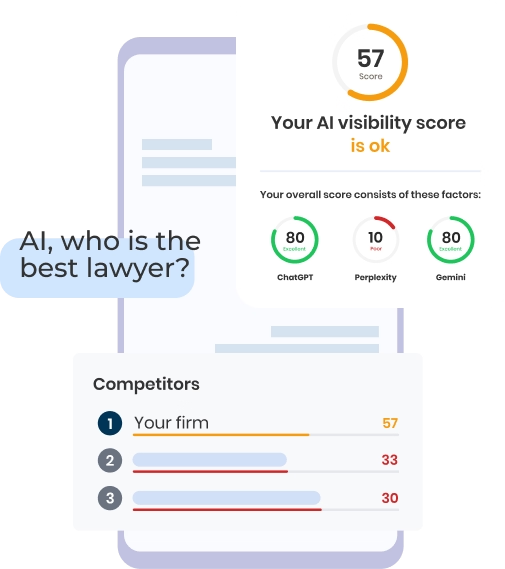
Check Your AI Visibility Instantly
Find Out What AI Is Telling Your Potential Clients
Run our free AI Visibility Report to:
See how often top AI tools mention your law firm
Spot which competitors show up first
Get the next steps to capture more cases
Run My Free AI Report
.avif)
.avif)
.avif)

