


Table of Contents
Your law firm intake form is the final step between a prospect who found you and a prospect who becomes a client.
Every client intake form law firm deploys is ultimately a revenue decision. Every optimization that precedes it (SEO, PPC, content, UX) depends on whether a visitor completes that form or abandons it. A law firm intake form that creates friction loses qualified leads at the very moment they’re about to convert.
In this guide, we break down how many fields a legal intake form should have, where to place it, how to design it for conversion, whether to ask for case details, how to test and improve systematically, and how to track submissions back to cases and revenue.
Why Your Law Firm Intake Form Is Your Most Important Conversion Asset
Every dollar your firm spends on marketing, whether it's SEO, PPC, content, or social, is an investment in driving traffic to your website. The intake form is where that investment either pays off or doesn't.
A firm spending $5,000/month on Google Ads with a poorly optimized law firm intake form is generating traffic it can't convert. A firm with a well-optimized form converts the same traffic into significantly more consultations without increasing spend.
Grow Law's goal for every client website is a 4X return on web design investment, and the intake form is the primary mechanism through which that return is captured. 88% of potential clients won't return to a website that loads poorly or is difficult to use.
That stat applies directly to forms: a form that takes 3 minutes to complete on mobile, asks for information the prospect doesn't have, or doesn't load properly loses a lead that may never come back. That is why Core Web Vitals optimization, clear CTAs, and WCAG accessibility are part of Grow Law's standard web build. Your form’s performance isn't separate from your site’s performance; it depends on it. Check your form load speed at PageSpeed Insights and target 90+ on mobile for any page with a form.
The compounding effect is significant: a 10% improvement in form conversion rate produces 10% more consultations from the same traffic, without additional ad spend, SEO investment, or content production.
Grow Law builds law firm websites with conversion-optimized intake forms from the first design decision: law firm website design
How Many Fields Should a Legal Intake Form Have and Which Ones
The field count question has a clear answer backed by conversion data: fewer fields convert better, up to a point. The optimal law firm intake form for initial contact has 3–5 fields.
Every field beyond that reduces completion rate, and on mobile, the drop-off accelerates with each additional required input.
A criminal defense firm's initial contact form had 11 fields, including 'describe your case in detail' as a required text area.
On mobile, the form took over 3 minutes to complete. 72% of mobile visitors who started the form abandoned it before submitting. After reducing to 4 fields (name, phone number, practice area dropdown, and preferred contact time) form completion rate increased by 190% and qualified consultation requests increased by 85% within 6 weeks, without any change to traffic or ad spend.

Form Placement: Where Law Firm Contact Forms Convert Best
The placement of your legal client intake form determines how many prospects see it. The most common law firm form placement mistake: a contact form that exists only on the Contact page.
Analytics consistently show that most visitors who arrive on practice area pages (the pages with the highest search intent) never navigate to the Contact page.
A personal injury firm's analytics showed that 78% of visitors who arrived on practice area pages via organic search never visited the Contact page. The form existed, it simply wasn't where the prospects were.
After embedding a simplified 3-field form at the bottom of every practice area page with copy reading "Get a Free Case Review — No Obligation," the conversion rate on those pages increased to 140% within 4 weeks. The form was identical in function. Placement and copy were the only elements changed.
78% of your highest-intent visitors — the ones who found you through practice area searches — never reach a Contact page. Embedded forms on practice area pages are where most conversions happen.
Legal Client Intake Form Design: What Makes Forms Convert
Form design is a conversion lever that most law firms ignore. Google's research on form UX shows that small design decisions like field label placement, error message specificity, and button copy have measurable effects on completion rate. These findings apply directly to legal intake forms.
The design elements that most directly affect your legal intake form conversion:
Grow Law designs attorney websites with form UX that converts — from field design to CTA copy to mobile performance: attorney website design services
Should Your Law Firm Contact Form Ask for Case Details?
The short answer is no, not on the initial contact form. Asking for detailed case information is the most common form of design mistake in legal intake, and it suppresses conversions for two concrete reasons: it creates friction (most prospects don't know what's legally relevant at the point of first contact) and it signals that the firm is screening rather than helping.
The two-step intake approach produces consistently better results: a simple contact form captures name, phone, and practice area. Then, your firm can call within the promised timeframe, conduct a brief qualification conversation, and send a detailed intake questionnaire before the scheduled consultation.
Detailed case information collected before first contact rarely improves case quality screening — attorneys still need to ask follow-up questions. It does reliably reduce contact form completion rates by 30–60% on mobile. The intake questionnaire at Step 3 collects the same information with none of the conversion cost.
Form Conversion Optimization: How to Test and Improve
Form conversion optimization requires a baseline, a single change, a measurement period, and an iteration.
The most common mistake: changing multiple form elements simultaneously and not knowing which change drove the result.
This is especially common after a website redesign, where form placement, field count, design, and CTA copy all change at once.
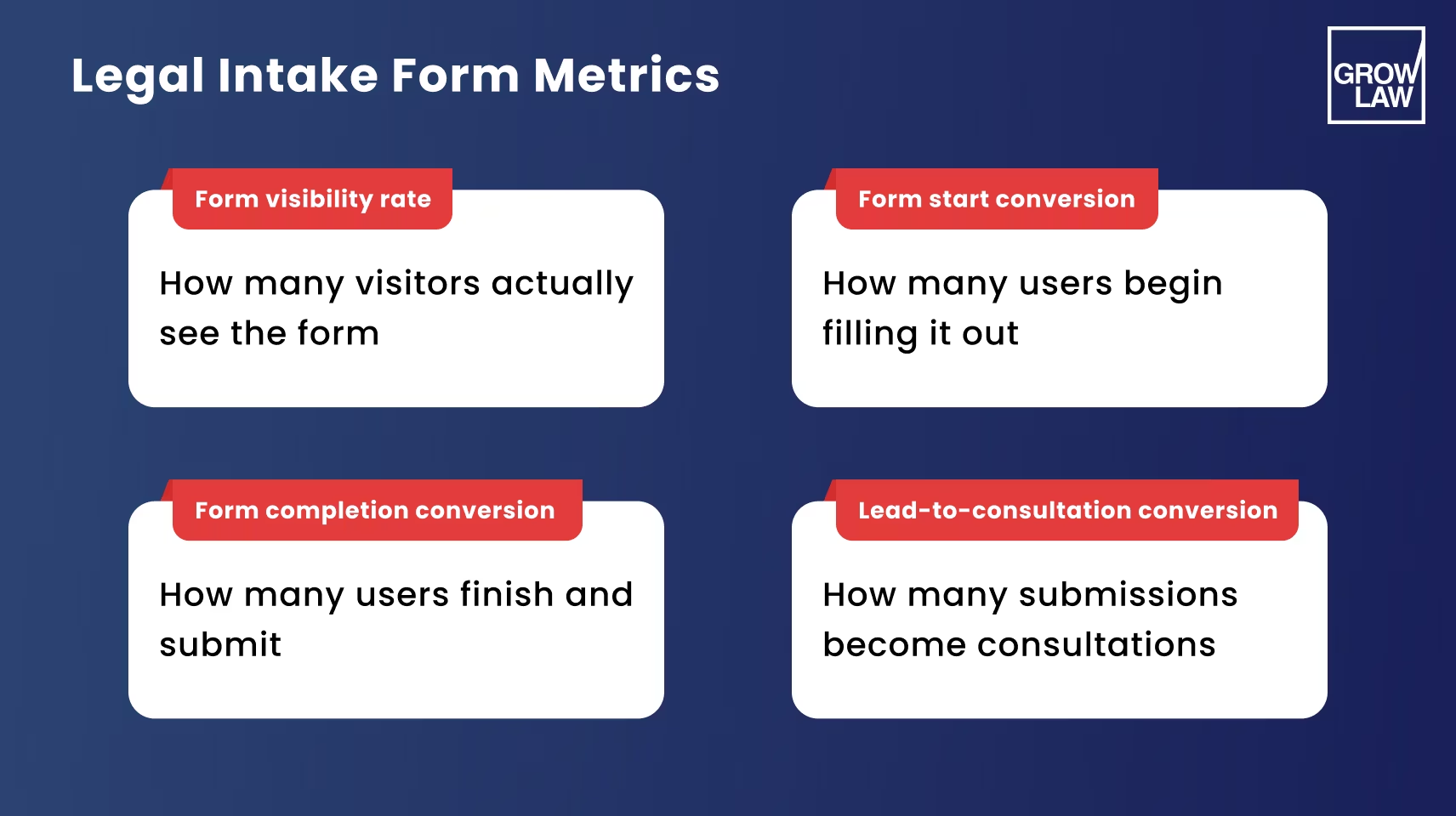
The metrics that matter for your law firm form optimization:
- Form view rate: What % of page visitors see the form (scroll to it)? If this is low, placement is the problem, not the form itself.
- Form start rate: What % of visitors who see the form start filling it in? If this is low, the form's design or first field is creating friction.
- Form completion rate: What % of visitors who start the form submit it? If this is low, field count, mobile UX, or a required field is causing abandonment.
- Submission-to-consultation rate: What % of form submissions become scheduled consultations? If this is low, the form is attracting unqualified leads. Review the practice area dropdown options and the page's content context.
Newlin Law Offices achieved a 550% marketing ROI and a 106% increase in conversion rate through a holistic web presence optimization that included form design, placement, and CTA improvements. Omar Ochoa Law Firm achieved a 3,345% marketing ROI, a 170% conversion rate increase, and 1,000% more qualified leads through sustained website and form optimization.
How to Track Law Firm Form Submissions and Connect Them to Cases
Most law firms track form submissions as email notifications.
That's where tracking ends and where attribution data that would justify or redirect marketing spend is lost. Google Analytics 4 form submission event tracking connects each submission to the traffic source, campaign, and keyword that drove it, turning a form notification into a revenue attribution data point.
The tracking setup that law firms consistently miss:
Set up form submission tracking using Google Tag Manager. It handles form event tracking without requiring developer changes to the website.
Most law firm form tracking can be configured in an afternoon using GTM's built-in form submission trigger.
Gounaris Abboud, LPA, worked with Grow Law to build this kind of measurement foundation. Nick Gounaris noted that Grow Law, Anastasia and everyone at Grow have done a terrific job providing the support and guidance needed to achieve success, the kind of ongoing optimization relationship that form tracking enables.
Summary
- Your law firm intake form is the final conversion gate for every marketing dollar you spend. A 10% form conversion improvement produces 10% more consultations without additional spend.
- Optimal legal intake form for initial contact: 3–5 fields (name, phone, practice area, optional email, optional contact time). Remove 'describe your case' — it belongs in the post-first-contact intake questionnaire.
- Placement determines visibility: 78% of practice area page visitors never reach the Contact page. Embed forms on every practice area page, not just Contact.
- Form design converts: tap-friendly fields (44px minimum), above-field labels, specific error messages, benefit-focused button copy, and trust signals adjacent to the form.
- Form conversion optimization: establish a baseline, change one element at a time, measure form view → start → completion → consultation rate, then iterate.
- Track submissions to cases with GA4 + Google Tag Manager + CRM integration — without attribution data, form optimization is guesswork and budget decisions are made blind.
Grow Law builds law firm websites and intake forms that convert visitors into consultations: Learn more about our law firm web design agency.
Frequently Asked Questions

Compare Your Practice Instantly
Stay Ahead of the Competition!
Compare your law firm's performance to Local competitors with our instant assessment tool
Get a clear picture of your firm's performance
Boost your online presence
Compare My Firm
Compare Your Practice Instantly
Stay Ahead of the Competition!
Compare your law firm's performance to Local competitors with our instant assessment tool
Get a clear picture of your firm's performance
Boost your online presence
Compare My Firm

Check Your AI Visibility Instantly
Find Out What AI Is Telling Your Potential Clients
Run our free AI Visibility Report to:
See how often top AI tools mention your law firm
Spot which competitors show up first
Get the next steps to capture more cases
Run My Free AI Report
.avif)
.avif)
.avif)

