


Table of Contents
Sick of wasting your billable hours staring at a blank page?
Then you must learn how to automate content creation for law firms.
Look, we know AI is dicey. We’ve all heard stories of how it "hallucinates" and makes things up.
But in 2026, it’s a bad idea to avoid automated content creation tools altogether. You’ll waste a ton of precious time and fall behind your faster competitors.
In this guide, you’ll get our 7-step blueprint to use AI the right way. Discover what you can safely automate and what you must keep human to write faster and generate cases year-round!
Key Takeaways
- Build a strategy: Use the pillar and cluster model to create authoritative content and rank for multiple legal queries
- Follow a repeatable workflow: Topic → brief → draft → review → publish → update
- Fact-check everything: Studies show AI can answer up to 80% of legal queries incorrectly
- Optimize publishing and updates: Add internal links, structure, and freshness to improve rankings and traffic
- Avoid over-automation: Generic AI content will not rank, convert, or attract clients
What Does Content Creation Automation for Law Firms Mean?
Automated content creation is the process of using AI tools and software to generate, draft, schedule, and publish marketing materials like blog posts without relying solely on manual effort.
That’s right! Starting from scratch is officially redundant in 2026.
Sullivan Papain Block McManus Coffinas & Cannavo is a great example of using AI the right way. They used an AI-powered e-discovery platform to handle massive case documents.
This freed up their attorneys to focus on strategy, boosting case success rates by 25% and increasing settlement values by 18%. The firm saved about $240,000 annually!
But let’s be clear.
AI content automation does not replace lawyers. You must, must, MUST use your human intuition.
The American Bar Association lays out a fair warning for lawyers using AI tools:
"Lawyers must adhere to their ethical responsibilities and ensure clients are protected."
Totally fair. Your legal team must step in to review, refine, and ensure everything is accurate and compliant.
Want organic leads without blowing money on ads? Read our law firm SEO guide today.
What Parts of the Content Creation Workflow Can You Automate?
We suggest using content workflow automation for repetitive, time-heavy tasks.
What you can automate:
- Topic research to find popular queries like "Do I need a lawyer after a car accident?"
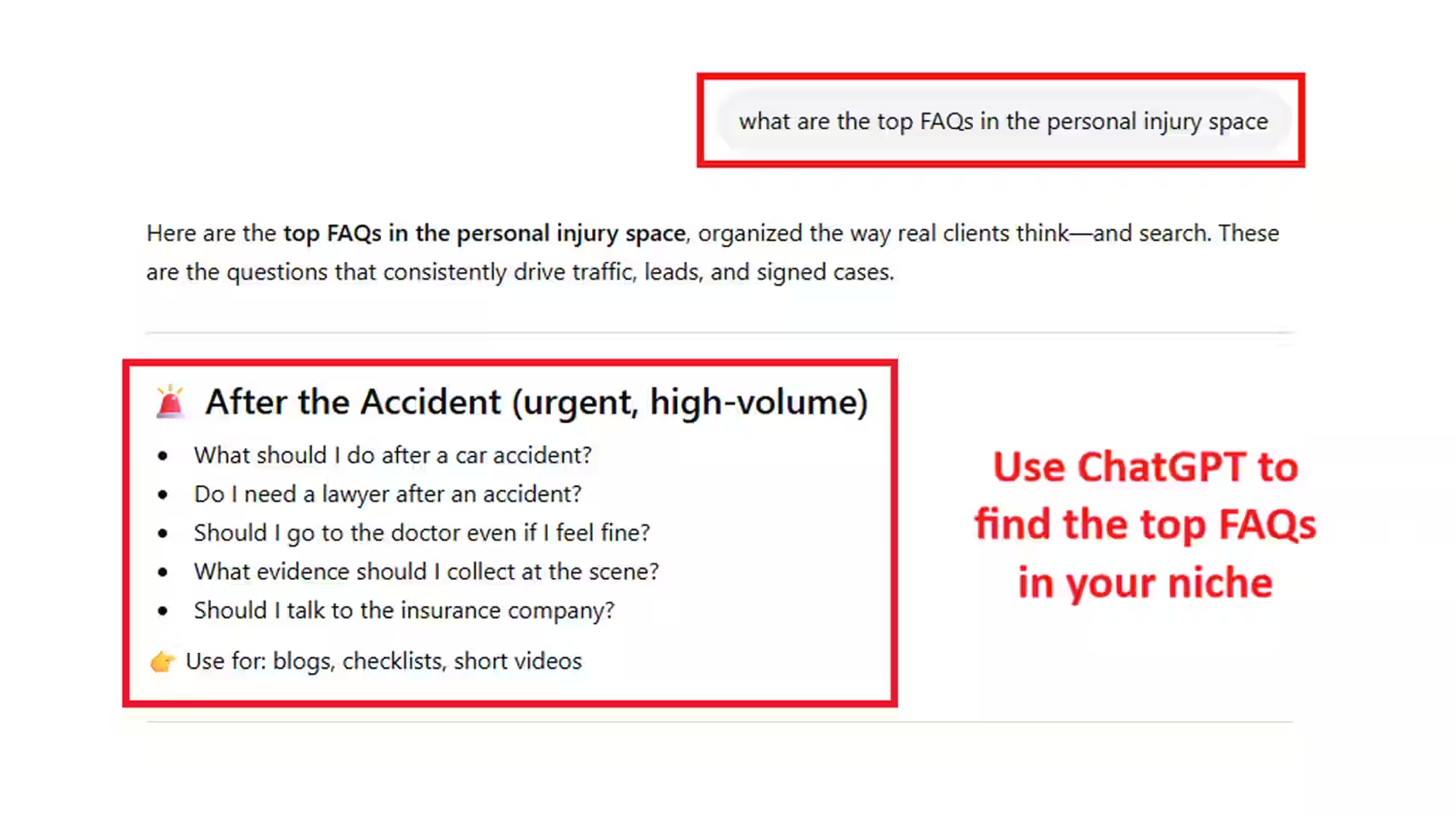
- Outline generation with structured headings, bullets, and target keywords
- Draft creation to produce first versions quickly, instead of starting from scratch
- Internal linking and optimization tips to connect pages and improve rankings
- Content updates to refresh older articles and keep them competitive
For multinational law firm, Baker McKenzie, AI legal research tools helped identify precedents 80% faster and improved case outcomes by 23%.
But wait, automating content creation for law firms has limits.
What must stay human:
- Legal accuracy and jurisdiction-specific correctness
- Compliance with legal advertising and ethical rules
- Final attorney review and approval before publishing
In February 2026, Texas attorney Heather Hersh was fined $2,500 after her AI-drafted brief contained 21 fabricated citations.

The court noted, "AI hallucinations have increasingly become an even greater problem in our courts."
Remember, legal content is YMYL (Your Money or Your Life) in Google’s eyes.
In simple terms, if your content is wrong, it can seriously harm someone, like giving incorrect advice about a legal deadline.
That’s why you CANNOT fully automate content creation.
Google still expects a real expert (you!) to review and stand behind what’s published.
Sick of Wasting Time Writing Content?
Hand the burden to Grow Law! We deliver precise content, quality-assured by our in-house attorney.
Get Content

Best Tools and Systems for Automated Content Creation
Do you have a couple of automated content creation tools in mind?
Read this first.
Many public AI tools "store or learn" from the data you input. That means if you paste client details, case facts, or sensitive documents, you could be exposing confidential information.
Here’s how to build a safe, effective content creation automation system:
- Research & topic clustering: Ahrefs and Semrush help uncover high-intent legal queries and group them into SEO content clusters
- Drafting & AI content automation: Use the secure Team or Enterprise version of ChatGPT or Claude to generate briefs, outlines, and first drafts

- Content optimization: Take it to Surfer SEO or Clearscope to refine structure, keywords, and internal linking to improve rankings
- Workflow & approvals: Notion and ClickUp (we use this!) are fantastic to manage content workflow automation, assign reviews, and track progress
Even if you’re not sold on using AI yet, that’s okay. Most lawyers aren’t thrilled about it at first.
But remember, your competitors are already using automated content creation tools.
Don’t fall behind.
Rank higher and attract clients on Google. Read our SEO for lawyers guide today.
7-Step Blueprint: How to Automate Content Creation for Law Firms
To master how to automate content creation for law firms, you need a system.
Over the last 4 years, we’ve used multiple AI tools for our legal clients, and we’ve refined the process into 7 simple, proven steps.
Step 1: Topic Clustering
Instead of writing one broad article, build a group of connected pages around one main topic.
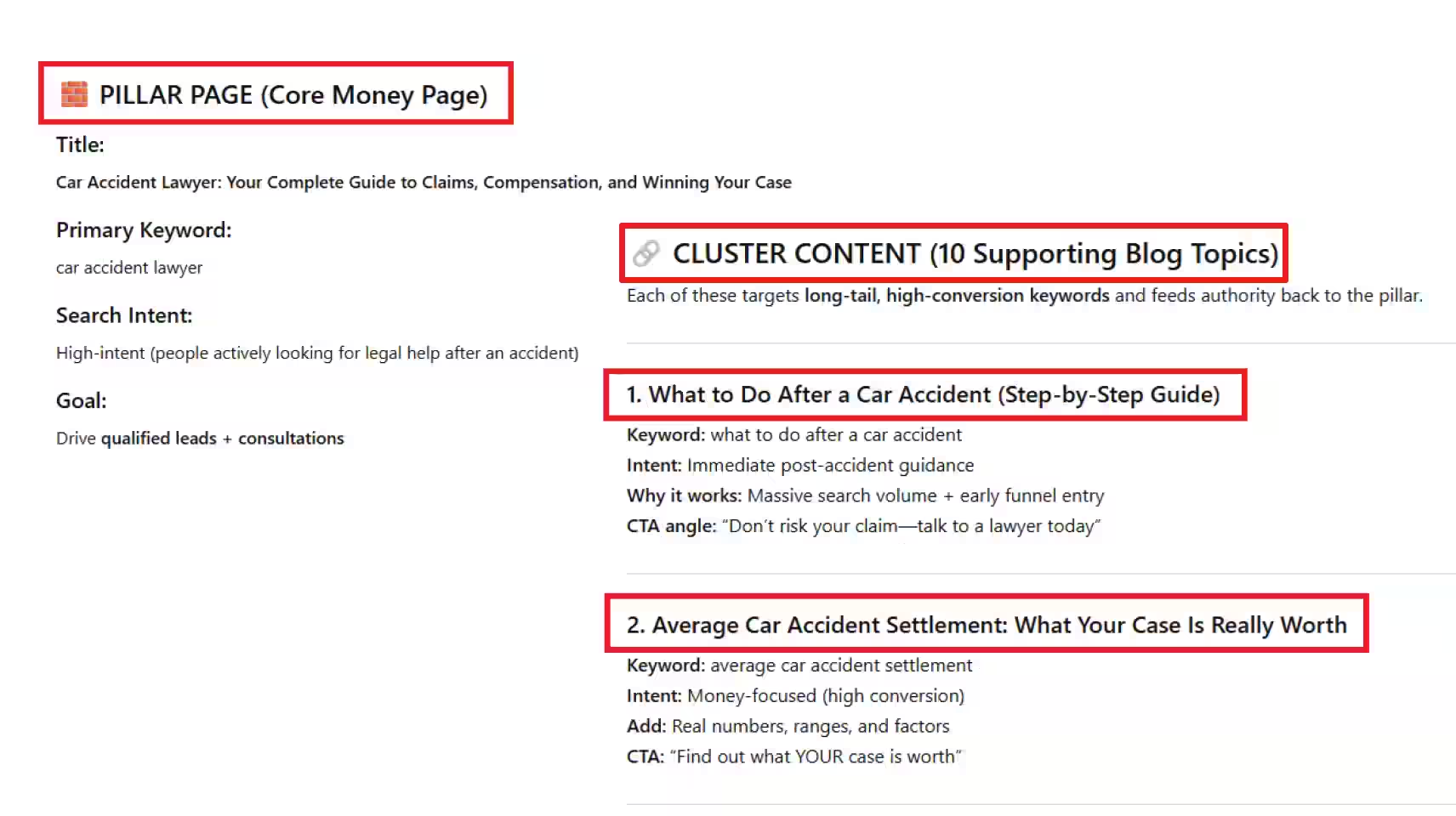
Think of it like this: your main page (or pillar page) is "car accident lawyer." That’s your core topic.
Then you create supporting pages (or cluster pages) that answer specific questions people search for:
- How long does a car accident settlement take?
- Who is at fault in a car accident?
- What to do after a crash?
- Average car accident settlement amounts?
Each of these links back to your main page. And your main page links to them.
An AI tool like ChatGPT can help you map this out in seconds. For example, you can use a prompt like:
"Create a pillar and cluster content plan for a personal injury law firm targeting car accident cases. Include the main pillar page and 10 supporting blog topics."
Step 2: Brief Generation
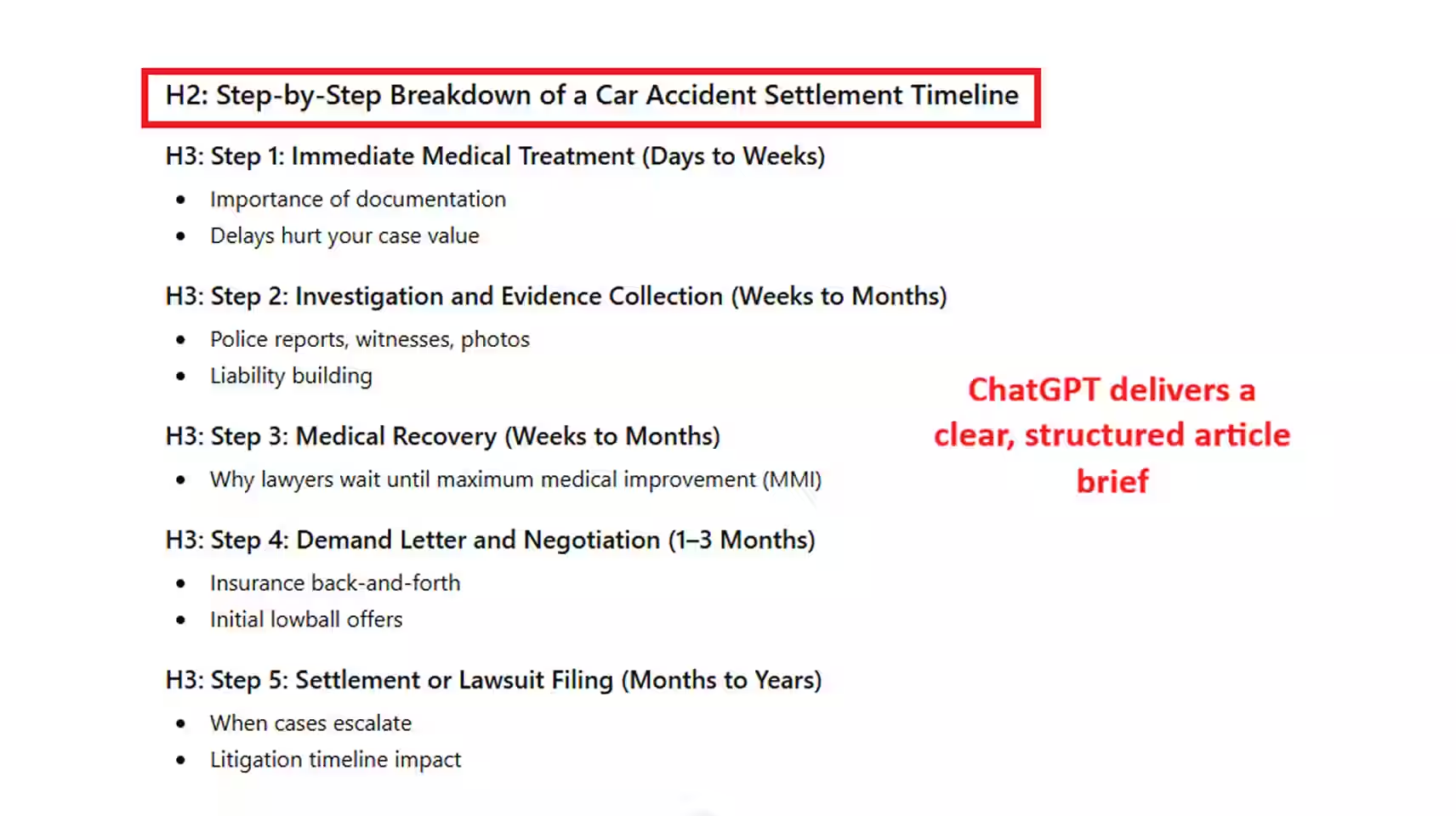
Next, take your "Pillar" and "Clusters" and turn them into clear, structured briefs.
You can save hours with this part of the AI content automation process! Instead of manually outlining every article, AI generates:
- Headings and subtopics mapped to search intent, not just generic sections
- Key questions your audience is actually asking (pulled from real queries)
- Internal link suggestions to your pillar and related cluster pages
- Keyword placement guidance so the content ranks without sounding forced
Use a prompt like:
“Create an SEO content brief for a law firm article on ‘car accident settlement timeline.’ Include H2s, FAQs, internal linking suggestions, and keyword usage.”
We’ve found that structured briefs reduce rewrite time by nearly 50%.
So, we’ll say it again: Content creation automation works best when every piece follows a system. Without a brief, you’re living on a prayer.
Step 3: Draft Creation
Next, let’s automate content creation.
This is where we put pen to paper (or ChatGPT to Google Doc) to speed things up.
AI can generate a solid first draft in minutes once you feed it an outline.
But beware! If you've done this before, you’ll know that the first draft is… unreliable.
Thankfully, that is not the final product!
Treat AI as a draft assistant, not a writer. To really bring the article to life, add:
- Real case examples or scenarios your firm has handled
- Simple analogies that make complex legal ideas easier to understand
- Short quotes or insights from attorneys at your firm
- Jurisdiction-specific details that show real expertise
- Clear next steps or "what this means for you" sections for readers
For corporate law firm, Morrison & Foerster, AI contract drafting and review cut times by 65% (junior associates went from 40 hours to 14 hours per workload).
Those were hours saved to focus on higher-value billable work.

Is Your Content Better Than Your Competitors?
Get a FREE marketing assessment to see how your content and website stack up!
Run My Report
Step 4: Lawyer Review
This step is non-negotiable.
Google categorizes legal content as YMYL (Your Money or Your Life).
A lawyer must review every piece before it goes live. During this stage, you absolutely should:
- Verify legal accuracy by checking statutes, definitions, and claims against reliable sources
- Adjust jurisdiction-specific details so the content reflects the laws, timelines, and procedures in your state or city
- Refine tone to match real client conversations, making the content clear, practical, and aligned with how you actually speak to clients
Mata v. Avianca (2023) is a sobering reminder of this. Attorneys submitted a brief generated by ChatGPT that cited completely nonexistent cases.
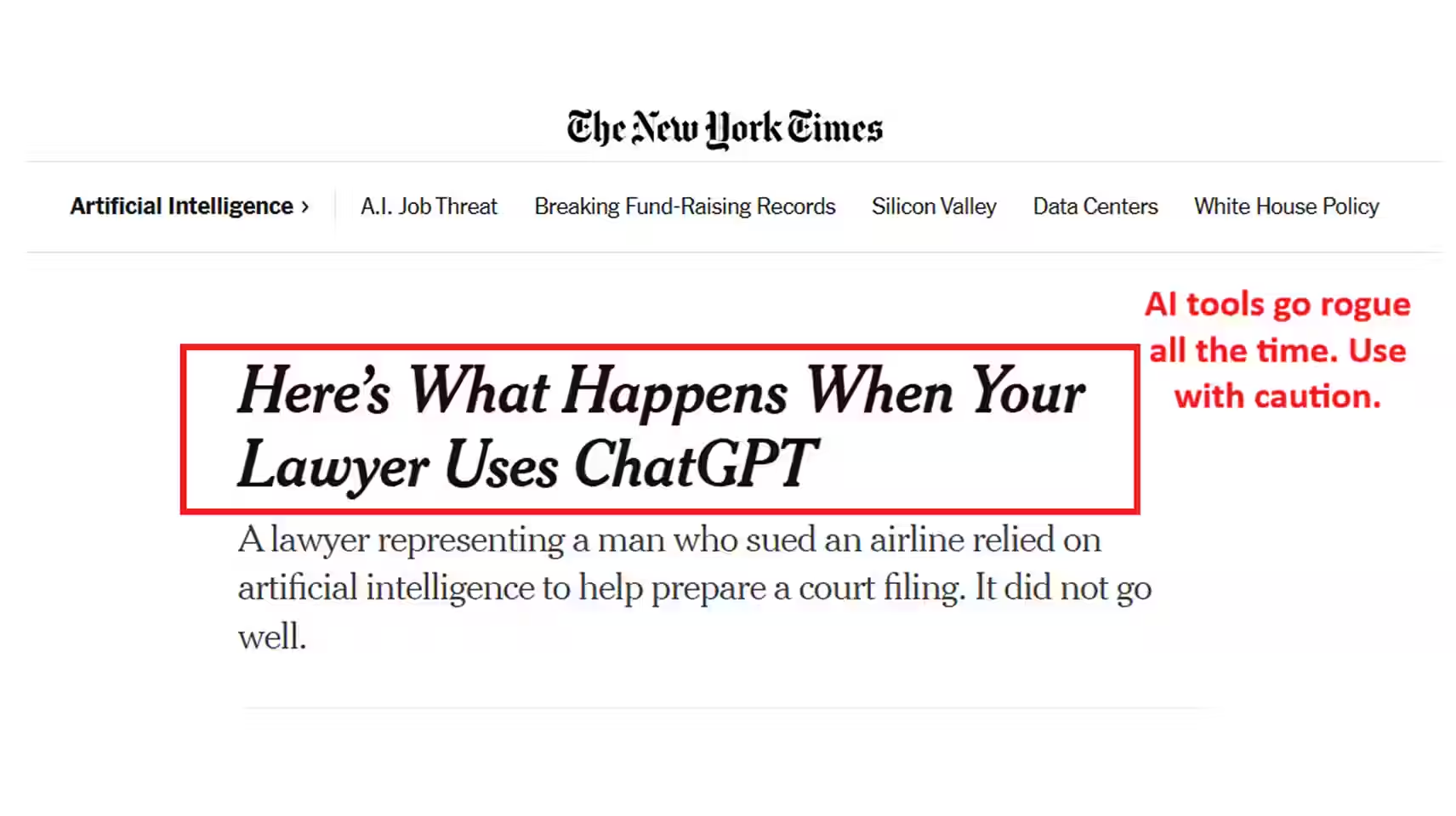
They were fined $5,000, forced to apologize, and publicly called out by the court for failing to verify their citations.
Bottom line: AI cannot replace professional judgment.
Step 5: Fact-Checking
The review process is not quite over. Let’s verify key details.
As we said, AI is known to "hallucinate", meaning it can generate information that sounds correct but isn’t.
IBM makes a brilliant analogy: "AI hallucinations are similar to how humans sometimes see figures in the clouds or faces on the moon."
These occur because AI is designed to predict the most statistically likely next word, rather than to retrieve objective truths.
Here’s what you should fact-check the most carefully:
- Case law and citations: AI may invent cases, misquote rulings, or reference decisions that don’t exist
- State-specific laws: Rules around liability, deadlines, or damages often vary by jurisdiction
- Statistics and percentages: Settlement averages, success rates, or legal trends are often inaccurate or outdated
- Legal definitions: Terms like "negligence" or "liability" may be oversimplified or slightly wrong
- Timelines and processes: Filing deadlines, claim steps, and court procedures can be misrepresented
- Scope of claims: AI may generalize (e.g., what you can sue for) without accounting for legal nuance
Columbia Journalism Review found that Grok 3 had the highest error rate among the top 8 AI tools, answering 94% of queries incorrectly.
Step 6: Publishing
Once your content is reviewed and verified, it moves into publishing.
But wait. This step is more than just hitting "Publish." You have to watch for a few things:
- Title tags and meta descriptions: These directly impact your click-through rate. If they’re weak or missing, you lose traffic even if you rank
- Internal linking: Linking to your pillar and cluster pages strengthens topical authority and helps Google understand your site structure
- Formatting for readability: Short paragraphs, clear headings, and spacing improve engagement, which supports your SEO
- URL structure: Clean, keyword-aligned URLs make it easier for search engines to index and rank your content
- Mobile optimization: Most users are on mobile; poor formatting here increases bounce rates and hurts rankings
Again, you do not have to do this manually.
We use ClickUp, a top project management software. This lets you create a repeatable publishing checklist so every piece of content goes through the same SEO steps.
Don’t rely on luck. Sign cases year-round with our search engine optimization for lawyers guide.
Step 7: Content Updates
You’re almost at the finish line (we promise).
It’s important to update your existing content.
We recommend updating your core pages every 3–6 months, and reviewing the rest at least once a year.
Google cares about "freshness". For topics where accuracy matters (like legal content), it prioritizes pages that are up to date.
But you do NOT need to rewrite everything. Update:
- Stats and data points: Replace outdated numbers with current, credible sources
- Search intent alignment: Adjust sections to match what people are currently searching
- Internal links: Connect to newer pages and strengthen your pillar-cluster structure
- Headings and structure: Improve clarity, add missing sections, and make content easier to scan
- Keywords and phrasing: Update for how people search today, not how they searched a year ago
Content creation automation makes this process so much easier.
ChatGPT Might Hate Your Content
Run a FREE report to see if your content is getting picked up or passed over.
Check Visibility
Quality Control and Compliance Safeguards
AI content automation helps you move faster, but only if you have guardrails in place.
Even the ABA points out, "Using GAI may streamline or even enhance lawyers in the performance of their tasks, but it does not absolve them of their responsibilities under applicable ethics rules."
Here’s what that looks like in practice:
- Attorney review workflows: Every piece should be reviewed by a lawyer to confirm accuracy, adjust for jurisdiction, and make sure it reflects real legal advice
- Fact-checking systems: Verify statutes, claims, and stats; AI can sound confident while being completely wrong
- Clear approval checkpoints: Use tools like ClickUp so nothing gets published without a final sign-off (this alone prevents costly mistakes)
- Tone and authority checks: Make sure content actually sounds like your firm, not generic advice anyone could write
- Credibility signals: Add real examples, explanations, and sources to build trust with both readers and Google
Automating content creation is ultimately a very useful crutch. You still need to sanity-check what it produces before putting your name on it.
5 Common Mistakes in Automating Content Creation for Law Firms
We gave you all the upside. But AI does have a downside, too.
Here are the 5 most common mistakes we see when attorneys automate content creation:
- Over-automation: When you remove too much human input, content loses accuracy, nuance, and credibility.
- Publishing unreviewed AI content: Like we said, AI can sound polished while being wrong, especially in legal topics. If it’s not reviewed, it shouldn’t go live.
In fact, a Stanford study found that AI hallucinates on legal queries between 58% and 82% of the time.
- Generic content: If your content doesn’t reflect your experience, cases, or location, Google probably won’t care about it.
- No SEO structure: Without keyword targeting, internal linking, or a pillar-cluster approach, even "good" content won’t perform.
- No performance tracking: If you’re not tracking rankings, traffic, or leads, you’re playing a risky game.
The takeaway is simple: automated content creation works best when it’s guided, reviewed, and measured. Read that again.
When Automation Improves SEO and Lead Generation
Yes, automation, SEO, and lead generation go hand in hand.
Here’s how that translates into results:
- Content velocity: Publish consistently to tell Google that your site is active and growing. This generates significantly more traffic and leads.
- Topical authority: When you build out pillar and cluster content, Google ranks you across multiple related keywords.
- Internal linking: Content workflow automation makes it easier to systematically link pages together. This helps Google's spiders "crawl" your site easier, and helps users navigate your site.
- Freshness and updates: Google prioritizes fresh content for legal topics, which can lead to ranking improvements without creating new pages.
- AI search visibility (GEO alignment): Today, it’s not just about Google. AI tools like ChatGPT and others pull from structured, authoritative content.
When your site is well-organized and updated, you increase your chances of being surfaced in AI-generated answers.
With that, it’s time to kick your AI content automation into high gear.
Too Busy to Write? Get Great Content, Quality-Assured By an Attorney.
You now have 7 steps on how to automate content creation for law firms. Here’s the quick recap:
- Build topic clusters to create authority
- Use AI content automation to speed up briefs and drafts
- Keep lawyers involved for accuracy and quality
- Follow a clear content workflow automation system
- Update content regularly to improve rankings
But we have to give you a fair warning: Reading that is simple. Executing it isn’t.
Content creation (even with AI) can quickly drain your $250+ billable hours every week.
Partner with Grow Law today. We’ve helped 100+ law firms attract 380% more case inquiries in the first 12 months with SEO, paid ads, and AI search optimization.
You’ll attract a consistent flow of quality leads and finally get confident about your growth.
Get Your Complimentary Growth Plan
FAQs for Law Firm Content Automation

Compare Your Practice Instantly
Stay Ahead of the Competition!
Compare your law firm's performance to Local competitors with our instant assessment tool
Get a clear picture of your firm's performance
Boost your online presence
Compare My Firm
Compare Your Practice Instantly
Stay Ahead of the Competition!
Compare your law firm's performance to Local competitors with our instant assessment tool
Get a clear picture of your firm's performance
Boost your online presence
Compare My Firm
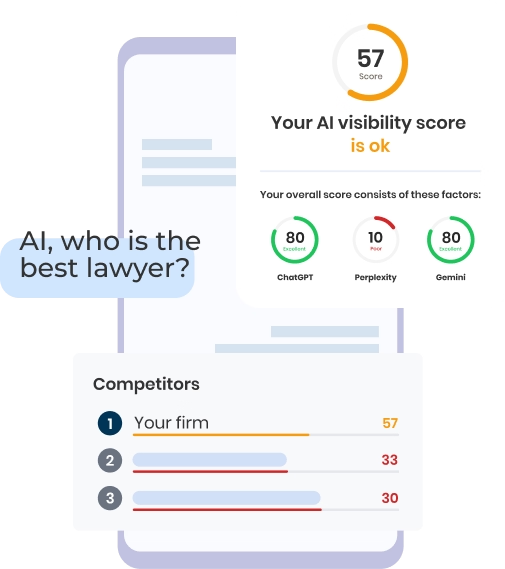
Check Your AI Visibility Instantly
Find Out What AI Is Telling Your Potential Clients
Run our free AI Visibility Report to:
See how often top AI tools mention your law firm
Spot which competitors show up first
Get the next steps to capture more cases
Run My Free AI Report
.avif)
.avif)
.avif)

